

How to Choose the Best Portable Golf Simulators for Home Use
The true value of home golf equipment isn’t found in a long list of technical specifications; it lies in whether you can set it up in five minutes, given the ceiling height and floor space available in your home. The real benefit of a home simulator is that it transforms the *desire* to practice into the *ability* to practice whenever you want. In the UK, where it gets dark by 4:00 PM in the winter—and trips to the driving range often involve long drives and queues—a portable Doppler-radar launch monitor that fits in your car boot allows you to hit a quick twenty balls at home before packing it away. For those living in terraced houses or flats, portability and the ability to set up without drilling holes are the primary requirements. When evaluating whether a portable golf simulators worth the investment, focus on three things: the space it occupies, the time required for setup, and how easy the data is to read—which is precisely why people search for the “best portable golf simulator for home use.”
7 Key Steps for Choosing a Portable Golf Simulators
Follow these seven steps to quickly filter out models that aren’t suitable for your home’s layout.
- 1. Measure your ceiling height. A full swing typically requires at least 2.4 meters of clearance; using a driver may require even more.
- 2. Measure your hitting area. Ensure there is 2.5–3 meters between your stance and the net, 0.5 meters of space behind the net, and 1 meter of clearance on either side.
- 3. Choose your radar type. 24GHz Doppler radar systems measure ball speed, distance, and direction; they feature a simple design and start up quickly.
- 4. Consider the mounting method. Magnetic bases require a metal surface or steel plate—they won't work on wood, carpet, or concrete floors. Systems with built-in tripods, however, can be placed almost anywhere.
- 5. Check the screen orientation. Models with vertical LCD screens can be placed upright near your feet, allowing you to glance down at your data while standing.
- 6. Evaluate the app and practice modes. You need features like target-based practice and performance tracking to stay motivated; a device that only displays raw numbers will likely end up gathering dust after a couple of weeks.
- 7. Verify product certification and after-sales support. The device carries UKCA (UK) and CE (EU) certifications; please also verify the specific support channels available in the UK.
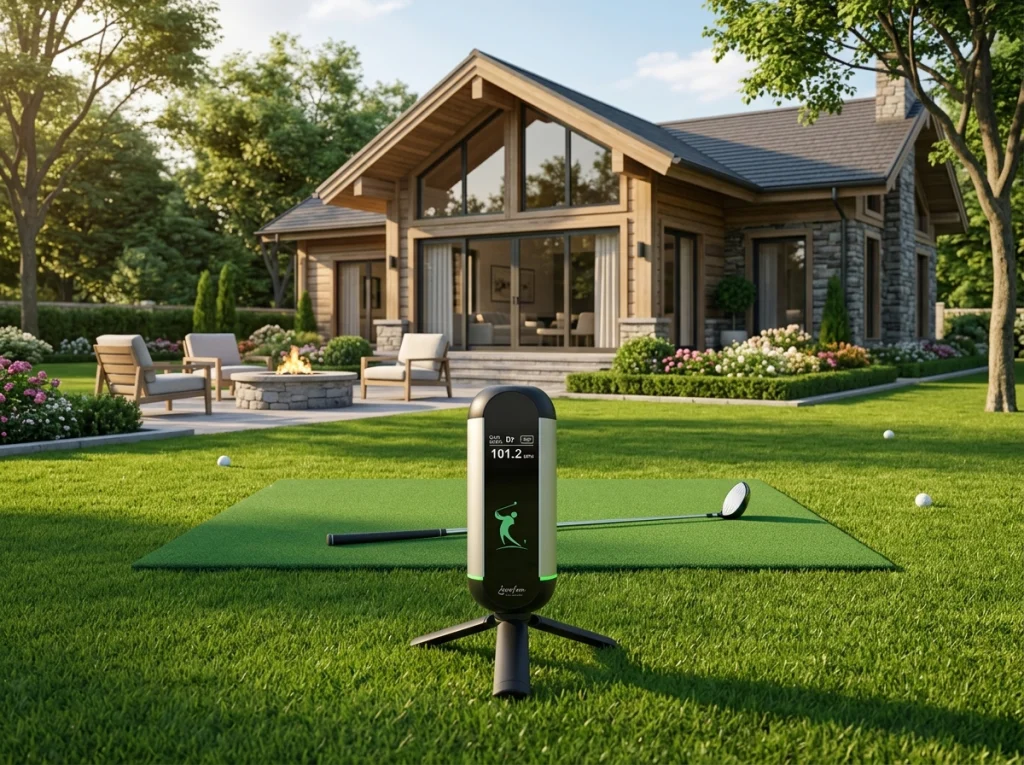
About Lanifun X: How far have we taken the concept of a portable home simulator?
We define the Lanifun X as a “set-it-down-and-play” device: it features a built-in tripod and a non-magnetic base, allowing you to start practicing on any surface. Its hardware includes 24GHz Doppler radar, Bluetooth 5.2/5.3, a 3000mAh battery, a built-in speaker, and a vertical LCD screen—offering several hours of continuous use at medium brightness. A green RGB light ring changes based on your swing, letting you know if you’ve made solid contact even without looking at the screen. The device is certified under UKCA, CE, FCC, and RoHS standards (with ISO9001 compliance), and we provide full after-sales support. Please contact the Lanifun team if you would like to see a live demonstration.
Configuring portable golf simulators for four common types of UK home settings
UK homes vary significantly in terms of ceiling height, flooring, and weather conditions. Identifying your specific environment before selecting accessories will save you the cost and hassle of repeatedly swapping out equipment.
Home Golf Simulator: Living Rooms and Multi-purpose Rooms
The primary constraint for a home golf simulator is ceiling height, followed by the ability to pack it away within five minutes. This setup is ideal for apartment (flat) dwellers, where items like hanging lights, televisions, and glass cabinets may fall within your swing radius. We recommend using only short irons with soft-practice balls; the device can be stored upright in a corner or tucked away in a cupboard after use.
Garage Golf Simulator: Converting Your Garage
The most frequently underestimated factor in a garage setup is ceiling height—a standard single-garage door frame is often only 2.1 meters high. This option is best for those who want a permanent, year-round practice space. Be mindful of overhead garage door tracks and low temperatures during the winter. We suggest hitting toward the innermost wall of the garage (with your back to the garage door) and ensuring there is a buffer zone behind the practice net. The Lanifun X, with its non-magnetic base, can be placed directly on a concrete floor and is ready for use immediately.
Garden Golf Practice Net: Back Gardens
When setting up a practice net in a back garden, the main challenge is the wind, not the equipment itself. This is a great solution for households with a back garden that want to practice full swings. Given the UK’s windy and rainy weather, ensure the net is securely anchored with ground stakes, and position it away from your neighbors’ windows. We recommend using a cage-style net with side netting, positioning the launch monitor to the side, and viewing your data on a mobile device.
Basement Golf Simulator:
For a basement golf simulator, you must first address ceiling height and ventilation before considering projection systems or hitting mats. This setup is ideal for those looking to convert a basement in a townhouse or seeking a dedicated, private space. Note that the clearance height beneath ceiling beams is often less than 2.3 meters; additionally, you must account for humidity and storage needs. We suggest using only mid-to-short irons (7-iron or higher loft), packing the equipment away after use, and opting for a vertical-format screen, which is often more practical than a large-scale projection setup.
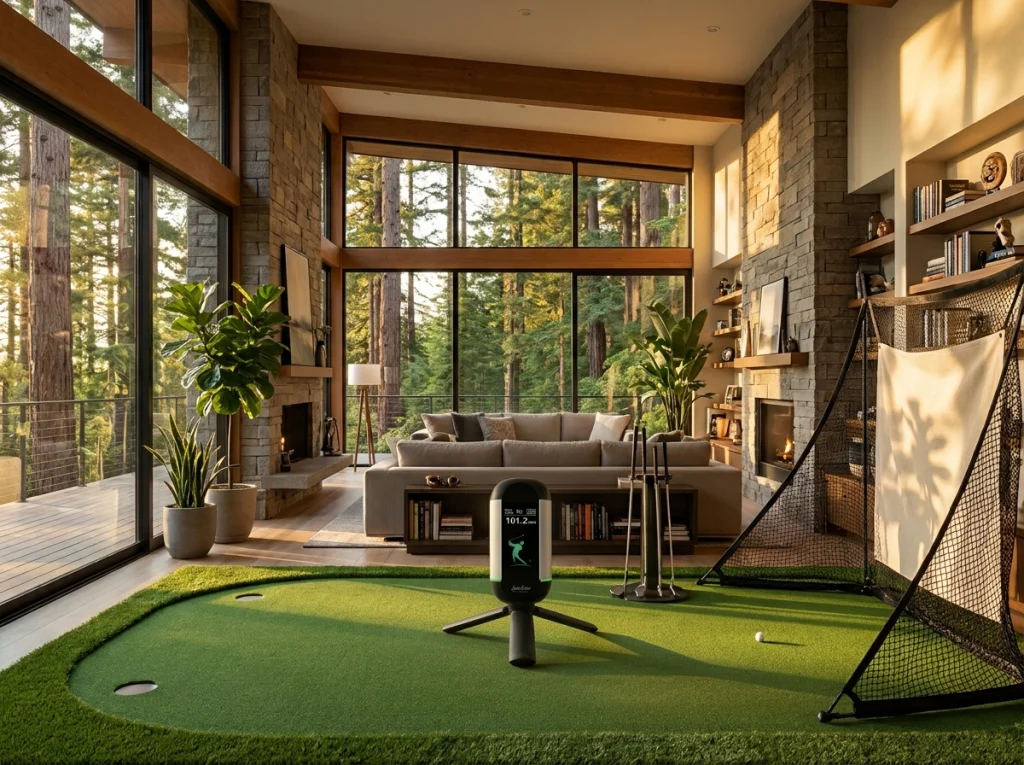
Quick Reference: What to Prioritize for Your Space
Check the ceiling clearance first, then the floor surface, and finally the connectivity—getting the order wrong could lead to wasted money.
Space | Typical Ceiling Height | Key Priority | Our Recommendation |
|---|---|---|---|
Living Room / Flat | ~2.4m | Storage footprint, short-iron focus | Vertical screen + tripod |
Garage | 2.1–2.4m | Ceiling height, floor flatness | Floor-standing unit (no magnetic base required) |
Backyard | Unlimited | Net anchoring, wind resistance | Cage-style net + Bluetooth mobile connection |
Basement | 2.0–2.3m | Ceiling height, ventilation, moisture control | Mid-to-short irons only; pack away after use |
FAQ
Q: I have a limited budget—how should I choose a portable golf simulators?
A: Prioritize the launch monitor (radar) over accessories. If your budget is tight, ensure you get a 24GHz Doppler radar and a stable Bluetooth connection; you can always add the net and hitting mat later. Consider whether you’ll be focusing primarily on short-game (chipping) or full-swing practice, and plan your accessory purchases accordingly—or simply create a list of absolute essentials. Pricing varies based on the specific configuration and accessories, so be sure to clarify exactly what is included before making a decision.
Q: Can I use a simulator in a room with a ceiling height of only 2.2 meters?
A: Yes, but you will need to limit which clubs you use. In spaces under 2.2 meters, we recommend using only 7-irons (or higher-lofted clubs) and putters—avoid using a driver. Place the launch monitor to the side and slightly behind your feet, and position a vertical LCD screen so that you can easily glance down to read your data. Before taking a full swing, clear any overhead light fixtures and try a couple of slow-motion practice swings. Using a launch monitor designed for small spaces in this manner is much safer than jumping straight into full-power swings.
Q: I’m renting and can’t drill holes or mount anything—how do I set it up?
A: A completely installation-free setup is entirely feasible. Our Lanifun X features a built-in tripod and a non-magnetic base, so it’s ready to use the moment you place it on the floor. There’s no need to drill holes, attach anything to the walls, or consult your landlord; simply tuck it away in your closet when you’re finished. When it’s time to move, just toss the unit and the hitting mat into your trunk. The key to apartment-friendly golf practice is having equipment that’s as mobile as you are.
Q: How accurate is the data, and how does it compare to a driving range?
A: Home-use radar systems measure ball-flight data using the same principles as those found at driving ranges. We don’t provide specific percentage-error guarantees for the Lanifun X, as factors like the type of golf ball, distance, and surface reflections can all influence the readings. The best approach is to keep your ball type and setup consistent, changing only one variable at a time to observe relative shifts in your performance. If needed, we can provide reference data based on your specific practice environment.
Q: Can I connect it directly to my phone? Will it be uncomfortable to practice indoors during the winter?
A: You can view your data by connecting to your phone via Bluetooth 5.2/5.3—in fact, winter is the season when this device is most useful. Practicing golf at home in the winter means no need to travel or wait for an available bay at the range. Hitting twenty balls before bed is much easier to sustain than making a trip to the range on the weekend, and you can stay perfectly comfortable indoors with the heat on. The device provides feedback through a built-in speaker, while a green light ring offers instant visual cues.
Key Takeaways
- Measure your available ceiling height and hitting area first.
- Look for units with built-in tripods and non-magnetic bases—they work on almost any floor surface.
- Focus on relative changes rather than chasing absolute values when using home radar systems.
- Before deciding if a portable golf simulators worth the investment, check your available ceiling height.
