
Are Doppler Radar Golf Simulators Accurate Enough for Home Practice?
To determine whether a Doppler radar golf simulator is sufficiently accurate, look at the manufacturer’s specified measurement range and repeatability—don’t just rely on marketing claims.
For our Lanifun X, the specifications include a speed measurement range of 32–220 mph, a distance range of up to 350m, and a battery life of approximately 8–10 hours—all of which can be verified. To test repeatability, we recommend using a single club to hit multiple balls and comparing the results before drawing any conclusions.
How does Doppler radar technology actually work?
Doppler radar functions by emitting waves and analyzing the frequency shift of the reflected signal to calculate ball speed. It does not rely on ambient light, making it well-suited for outdoor use. The Lanifun X utilizes 24GHz radar, chosen for its ability to provide stable speed measurements within a compact, portable form factor.
- Wave Emission: A 24GHz microwave signal is emitted toward the direction of the shot.
- Frequency Shift: The frequency of the reflected wave changes; this frequency shift is directly proportional to the ball's speed.
- Calculation: An internal chip converts this data into ball speed and distance (with a specified range of 32–220 mph and up to 350m).
The 24GHz module is compact, allowing for an integrated tripod design; it is unaffected by lighting conditions, making it usable even at dusk. Note that slow-speed shots—such as light putts—may fall below the 32 mph lower limit, which is precisely why we emphasize checking the manufacturer’s specified range.
What is the difference between a launch monitor and a home golf simulator?
A golf launch monitor measures data, while a home golf simulator translates that data into a visual representation. Accurate measurement and accurate simulation are two different things.
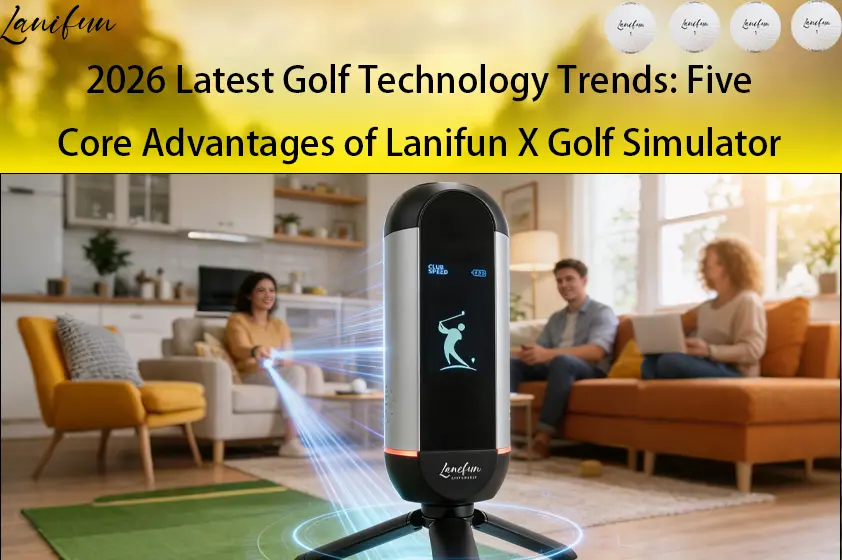
Here is how we distinguish them: A golf launch monitor for home use provides raw data—such as ball speed and distance—to help you evaluate a specific shot. A home golf simulator setup takes those readings and integrates them into a 3D virtual course, allowing you to see the ball’s flight path. The Lanifun X supports 3D virtual courses, screen recording for sharing, and precise range training; however, the overall fluidity of the experience depends on the software and the display/projection system used. First, ask yourself: are you looking for raw data or a visual simulation?
How can you tell if a device meets your needs? Here are 5 verifiable criteria.
Skip the spec sheet—you can evaluate a device in just ten minutes using these five steps:
- 1. Check the specified range: Ensure it covers ball speeds from 32 to 220 mph and distances up to 350 meters. (Note: Some devices may not capture slower shots, such as putts.)
- 2. Look for raw data: Ensure the device provides specific readings for ball speed and distance for every shot, rather than just a generalized score.
- 3. Test with a single club: Hit ten balls and check if the readings are consistent. Repeatability is far more important than peak performance figures.
- 4. Check for stickers or calibration requirements: Our device requires no stickers—just turn it on and start practicing.
- 5. Verify certifications and firmware: Look for UKCA/CE/RoHS (UK/EU), FCC (US), and ISO9001 standards. Devices with region-specific, locked firmware tend to be more stable.
Four Real-World Use Cases
Doppler Radar Golf Simulator for Backyard Practice
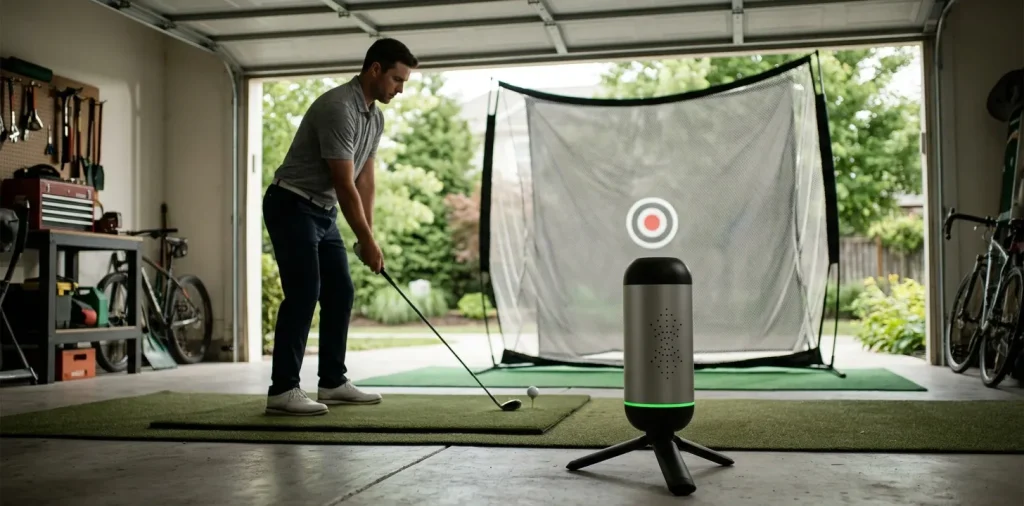
For backyard practice, placement is more critical than the total amount of space available. Position the monitor about one meter behind and to the side of the hitting area, with the radar aimed along the intended line of flight. Since 24GHz radar technology doesn’t rely on ambient light, you can even practice at dusk. We recommend maintaining a buffer zone of at least ten meters for your swing. Use a target net to contain your shots—ensure balls don’t fly over fences—and keep the swing radius clear of other people. Also, make sure the path of the ball is free of any obstacles.
Doppler Radar Golf Simulator for Indoor Home Setup
The core of an indoor home golf simulator setup is the impact screen and projector. Our device can connect to 3D virtual golf courses; by adding an impact screen and a projector, you can transform raw data into a visual experience. We recommend recording your sessions for playback, then adjusting your swing based on the ball speed data. Ensure there are no obstructions between the radar and the ball for more stable readings, and determine the distance to the impact screen based on the depth of your room.
Doppler Radar Golf Simulator for Driving Range Sessions
The driving range is the most convenient setting, as you don’t need to set up a screen. Simply bring your portable monitor along, and every shot you take will be converted into actionable data. We recommend using a single club for a series of shots to assess the consistency of the readings. Once connected to your phone via Bluetooth 5.2/5.3, the 2.4GHz/2Mbps transmission ensures real-time data display. Please be mindful of others’ lines of play and ensure the monitor is positioned outside the swing arc.
Doppler Radar Golf Simulator for Garage and Travel Use
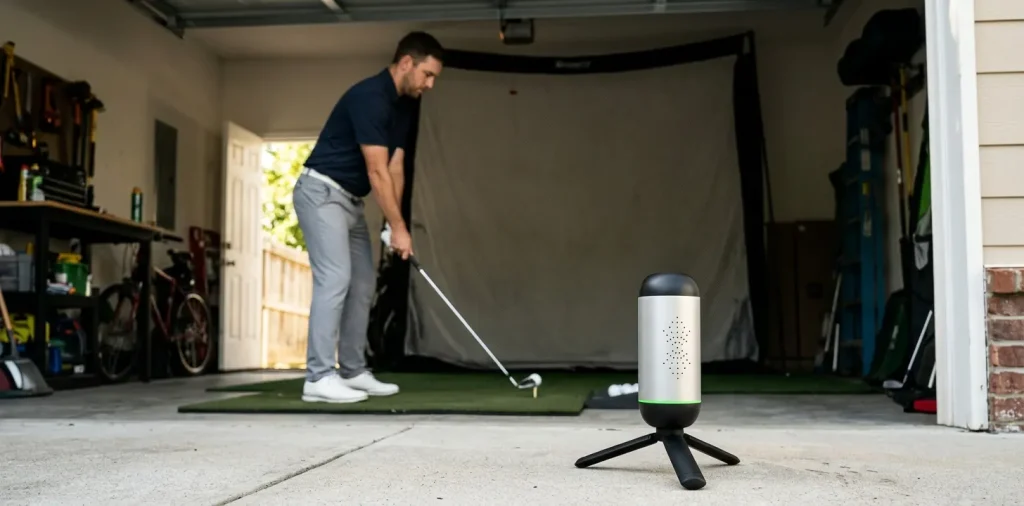
For garage or travel use, portability and battery life are key. The Lanifun X features an integrated tripod, a stable base (non-magnetic), a vertical LCD screen, and a built-in speaker. Its 3000mAh battery provides approximately 6–8 hours of runtime—plenty for a full practice session. It operates within a temperature range of -5°C to 50°C, charges via Type-C, and comes with a carrying case for easy transport. If using it in a garage, ensure there are no obstructions in front of the radar and that it is placed on a stable, level surface.
About Us: Lanifun’s Manufacturing and Customization Capabilities
We are Lanifun, a manufacturer of consumer electronics, with launch monitors being one of our core product lines. We offer comprehensive OEM/ODM services, including custom logos and animations, enclosure color options, bespoke packaging, screen printing, and tailored firmware or interfaces. We can also lock firmware versions for specific distribution channels. We provide prototypes before full-scale production, maintain a proportional stock of spare parts, and handle replacements directly from our factory. Our products meet relevant market certifications, including UKCA/CE/RoHS (UK), FCC (USA), and are manufactured under the ISO9001 quality management system.
FAQ
Q: Is it accurate enough for home practice?
A: Yes, provided you operate it within the specified speed range (32–220 mph) and evaluate consistency. By hitting multiple shots with the same club, you can check if the readings cluster together—this establishes a reliable feedback loop. There is no need to obsess over achieving absolute values identical to professional Tour-grade equipment.
Q: Can it be used in a small backyard space?
A: Yes, though proper placement is more important than the total area. Position the monitor about one meter behind and to the side of the ball, aligned with your target line, and ensure there is a 10-meter buffer zone for your swing. Since it uses 24GHz radar technology, it does not rely on ambient light and can even be used in the evening. Regardless of how limited your space is, always clear any obstacles from the ball’s flight path first.
Q: Is a screen (impact screen) necessary for indoor use?
A: It depends on whether you want a visual display. If you only care about the data, a screen isn’t required; however, if you want to transform those readings into a 3D virtual golf course, you can add an impact screen and a projector. You can also use screen recording to review your swing and adjust your technique accordingly. Ensure there are no obstructions between the radar unit and the ball for more stable, accurate readings.
Q: What should I do if Bluetooth won't connect?
A: First, ensure that Bluetooth 5.2/5.3 is enabled and that the device isn’t already connected elsewhere; then, try toggling your phone’s Bluetooth off and on. The Lanifun X uses 2.4GHz/2Mbps transmission—avoiding congested Wi-Fi networks will result in a more stable connection. If it still fails, consult the manual for your specific firmware version. We recommend connecting only one phone at a time.
Q: Is OEM customization available? How are certifications and after-sales support handled?
A: Yes. As the original manufacturer, Lanifun supports customization for logos, casing colors, packaging, screen printing, and firmware (with firmware locked by sales channel). We hold relevant market certifications, including UKCA/CE/RoHS (UK/Europe) and FCC (USA), and operate under the ISO9001 quality management system. In the event of a faulty unit, replacements are shipped directly from the factory.
Key Takeaways
Doppler radar golf simulator is sufficiently accurate for home practice, provided you follow the necessary setup checklist.
- Focus on specifications like the 32–220 mph speed range, a measurement distance of up to 350m, and consistent repeatability—don't get hung up on a specific "accuracy percentage."
- The 24GHz technology is independent of ambient lighting, making it suitable for use in backyards or during the evening.
- Distinguish between a "monitor" (which provides raw data) and a "simulator" (which translates that data into a 3D golf course).
- For indoor setups, use an impact screen and projector; utilize screen recording to review your swing, and ensure the path between the device and the ball remains unobstructed.
- Low-speed, gentle putts may fall below the 32 mph lower limit; this is simply a matter of the device's specified operating range.
- As the original manufacturer, we offer OEM/ODM services, maintain a stock of spare parts, and provide direct-from-factory replacements for defective units.