
Home Golf Simulator Setup for Beginners
Want to practice golf at home but don’t know where to start? As a brand dedicated to home golf simulators, Lanifun frequently receives questions from beginners: “What equipment do I need?” “How much space is required?” “What is the budget?” This article is written for you—no professional background needed; follow these steps to complete your first home golf simulator setup.
What equipment do beginners need for a home golf simulator?
An entry-level home golf simulator setup requires just four core pieces of equipment:
Equipment | Function | Recommendation for Beginners |
|---|---|---|
Launch Monitor | Captures data like ball speed, launch angle, spin, and landing point | Prioritize pure radar systems; they are easy to install and unaffected by lighting conditions |
Hitting Net/Impact Screen | Prevents the ball from flying off; protects walls and furniture | Foldable models are more practical; they can be stored away after practice |
Hitting Mat | Simulates the feel of real turf; protects the floor | Choose a mat thicker than 15mm with a non-slip base |
Display Device | Shows data or simulated course visuals | Smartphones, tablets, or TVs all work |
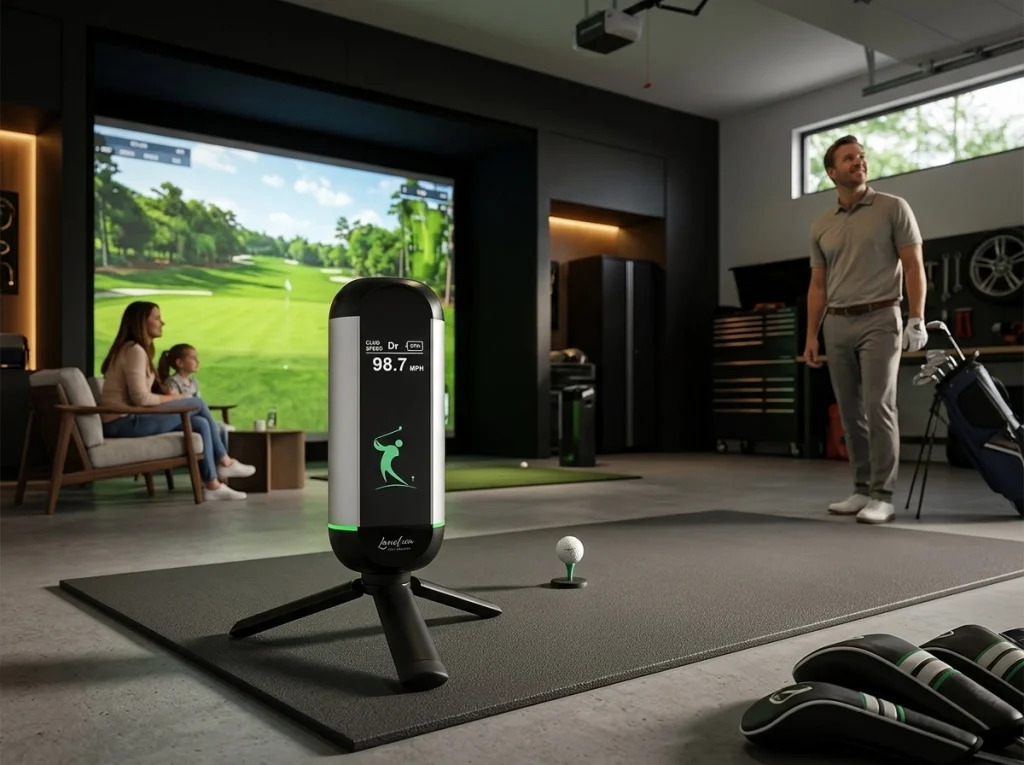
🎯 Lanifun X: A Beginner-Friendly Launch Monitor
- ✅ Advanced pure radar tracking system; unaffected by lighting conditions
- ✅ ±0.5 yard accuracy; ball speed error ≤1%
- ✅ Minimum operating distance of 2m; suitable for living rooms or studies
- ✅ Ready to use upon startup; no complex calibration required
- ✅ App-based data visualization; 16 core metrics at a glance
- ✅ Lifetime subscription-free usage
For beginners looking for a golf simulator, the Lanifun X is a rare choice that combines high precision with low barriers to entry.
How much space do I need at home to install a golf simulator?
This is the question beginners worry about most. The good news is: a home golf simulator doesn’t necessarily require a large house. Based on installation experiences from users
worldwide, Lanifun offers the following space guidelines:
Minimum Space: 2m (depth) × 2m (width) × 2.2m (height)
Suitable for practicing chip shots and half-swings. The Lanifun X delivers stable data even in this compact space.
Comfortable Space: 2.5m (depth) × 2.5m (width) × 2.4m (height)
Allows for full swings with most clubs.
Ideal Space: 3m (depth) × 3m (width) × 2.5m (height)
Can be paired with a projection screen for a more immersive simulated course experience.
Don’t be discouraged if your available space is around 2m × 2m. Many of our users have set up their first indoor golf simulator in apartment living rooms or corners of their studies.
How should a beginner allocate their budget?
Many people assume a home golf simulator costs tens of thousands. In reality, entry-level setups can be quite affordable. Here is a typical budget breakdown for an affordable home golf simulator:
Item | Entry-Level Budget | Notes |
|---|---|---|
Launch Monitor | 60%–70% | Determines data quality; the most important investment |
Hitting Net | 10%–15% | Foldable models are available for just a few hundred yuan |
Hitting Mat | 10%–15% | Choose a durable model to avoid frequent replacements |
Display Device | 5%–10% | Start by using a smartphone or tablet |
At Lanifun, we adhere to a “buy once, use for a lifetime” philosophy. The Lanifun X has no hidden subscription fees, and all app features are free—a crucial factor for beginners looking to manage long-term costs.
What are the steps for installing a golf simulator for the first time?
To help you avoid common pitfalls, the Lanifun team has outlined a five-step installation process:
1. Measure the space
Use a tape measure to verify the length, width, and ceiling height. Pay special attention to the location of hanging lights, ceiling fans, and furniture.
2. Lay down the hitting mat
Place it where you normally stand to hit the ball, ensuring it is stable and won’t slide.
3. Set up the hitting net
Position it directly in front of your hitting direction; the height should reach close to the ceiling to prevent the ball from hitting the wall.
4. Positioning the Launch Monitor
Place the Lanifun X approximately 1.5 meters behind the ball, aiming at the impact point; it will automatically initialize upon powering on.
5. Connecting the App
Open the Lanifun App, select “Practice Mode,” and hit a few balls to verify data stability.
The entire setup process usually takes 15–20 minutes. If you are new to home golf simulators, we recommend starting your practice first and optimizing your setup later.
We have seen many beginners make slow progress due to incorrect methods. Here are three common pitfalls identified by the Lanifun coaching team:
What are common mistakes beginners make?
Mistake 1: Focusing only on distance, ignoring data details
The value of a home golf simulator lies in multidimensional data such as ball speed, launch angle, spin, and landing angle. Focusing solely on total distance makes it easy to overlook issues with your swing mechanics.
Mistake 2: Believing that more expensive equipment is always better
For beginners, ease of use and data readability are more important than top-tier technical specifications. A stable, accurate, and app-friendly device is far better suited for starting out than complex professional-grade equipment.
Mistake 3: Neglecting safety and space requirements
Ensure your hitting net is high enough, your hitting mat is non-slip, and there is adequate buffer space around the hitting area. Safety is the foundation of all training.
FAQ: Frequently Asked Questions by Beginners
Q: I have absolutely no experience; can I practice at home with a golf simulator?
A: Absolutely. Home golf simulators were designed specifically to lower the barrier to entry for practice. By starting with chipping and utilizing the data feedback from the Lanifun App, beginners can quickly get a feel for the swing.
Q: What is the minimum cost to set up an indoor golf simulator for beginners?
A: You can get started with the core equipment (launch monitor, hitting net, and hitting mat) for around $300–$500. If you already own a tablet or smartphone, the cost can be even lower.
Q: Do I need to buy an expensive computer and projector?
A: No. At the beginner stage, connecting the Lanifun App to your smartphone or tablet is sufficient. You can upgrade to a projector and large screen once your practice routine is established.
Q: Will the data be inaccurate if I practice in a small space?
A: No, it won’t. As long as the launch monitor itself offers high precision, reliable data can be obtained with just 2 meters of depth. The Lanifun X is specifically optimized for small spaces, maintaining an accuracy of ±0.5 yards even in compact environments.
Q: Why do we recommend a radar-only system for beginners?
A: Radar-only systems are unaffected by lighting conditions, easy to install, and require no additional calibration. For users new to home golf simulators, this means a shorter learning curve and a more consistent, hassle-free daily experience.
Q: Is the Lanifun X suitable for beginners?
A: Absolutely. It features a straightforward operating logic and an intuitive app interface, allowing users to understand the data without needing specialized technical knowledge.
About Lanifun
Lanifun is a UK-based brand specializing in golf technology R&D, dedicated to bringing professional-grade indoor golf training experiences into every home. Our flagship product, the Lanifun X, utilizes an advanced radar-only tracking system to achieve ±0.5-yard accuracy within a short distance of just 1.5 meters, making it a trusted choice for both beginners and advanced users of home golf simulators worldwide. We stand by our “one-time purchase, lifetime use, no subscription fees” philosophy.
Ready to start your home golf simulator journey?
Whether you are new to golf or simply want to skip the lines at the driving range, the right home golf simulator lets you practice whenever you want. From measuring your space to taking your first swing, we hope this article serves as the starting point for your journey. Ready to turn your living room into a private practice range? You can start today with the Lanifun X.